Plan VBS the way it actually runs — day by day.
Ministry Planner is church event planning software for VBS, camps, retreats and Christmas programs. Every event gets its own workspace: a teaching plan for each day, stations with real headcounts, and a volunteer schedule that shows every gap before event week starts.
Right now, the whole event lives in one person's spreadsheet.
This is how most churches plan VBS today, and it's what Ministry Planner is built to replace. The schedule is a spreadsheet template only you understand. Signups are in one tool, curriculum is in email, the day plan is on paper. Your Sunday scheduling software assumes Sunday — so a Monday-to-Friday event doesn't fit anywhere.
Create the whole event in one pass.
Name it, pick the dates on a calendar, and tap away the days you're skipping — drop the weekend from a VBS week in two taps. Ministry Planner builds the rest: a teaching plan for every day, a volunteer team for the event, and — on by default — an entry on your church calendar.
Every day has its own stations — and its own lesson.
A five-day VBS isn't one plan — it's five days, each with its own lesson and its own set of stations. Open a day and you see every station on it: when it runs, what happens there, and exactly who's assigned — with the day's full lesson plan one tap away. Set each station's headcount once and the coverage grid tracks it for every day of the event.
This is the actual event workspace.
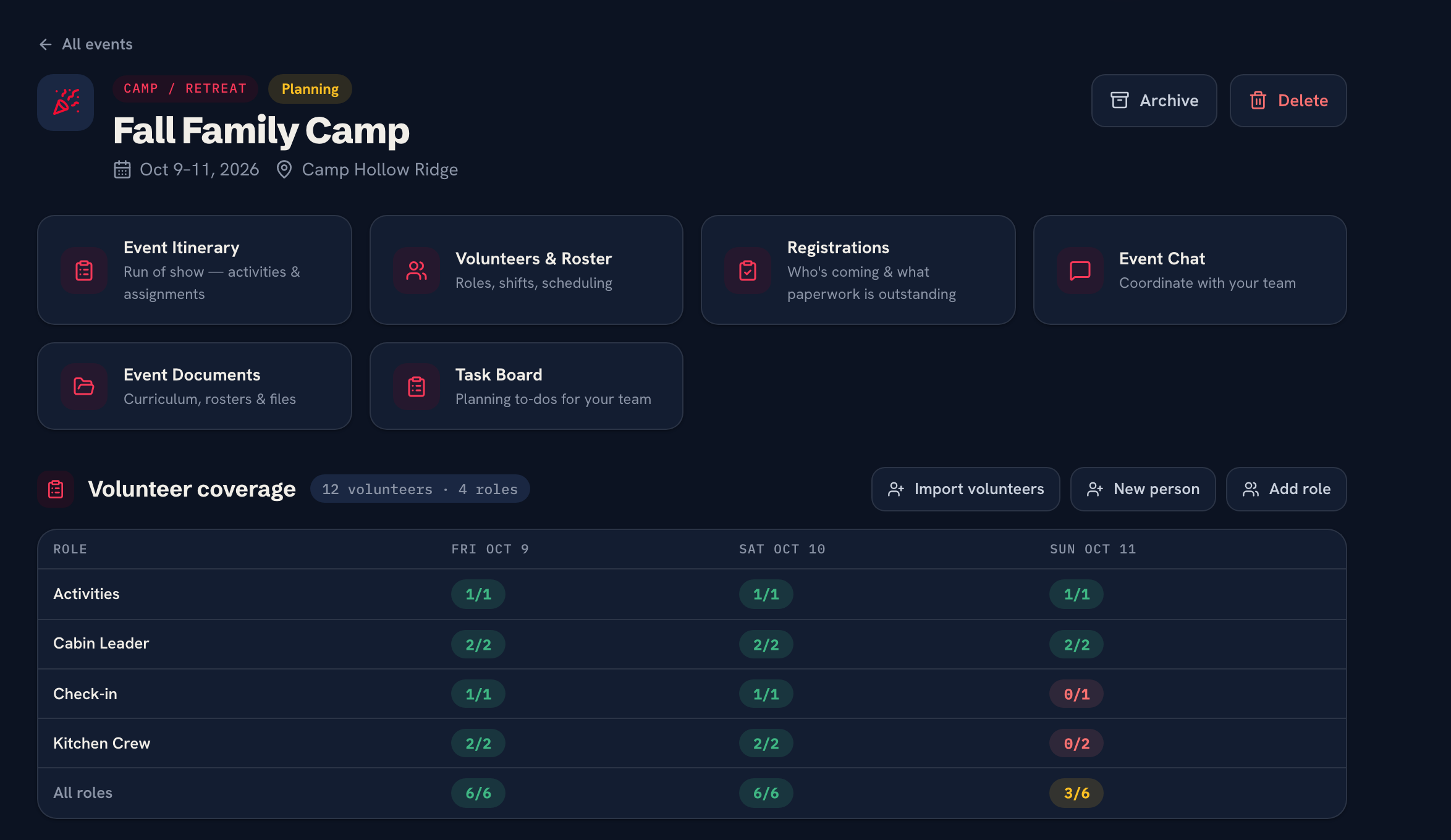
Not a diagram — this is the real church event planning app. Itinerary, volunteers, chat and documents for one event — with a coverage grid where every unstaffed slot shows red until it's filled.
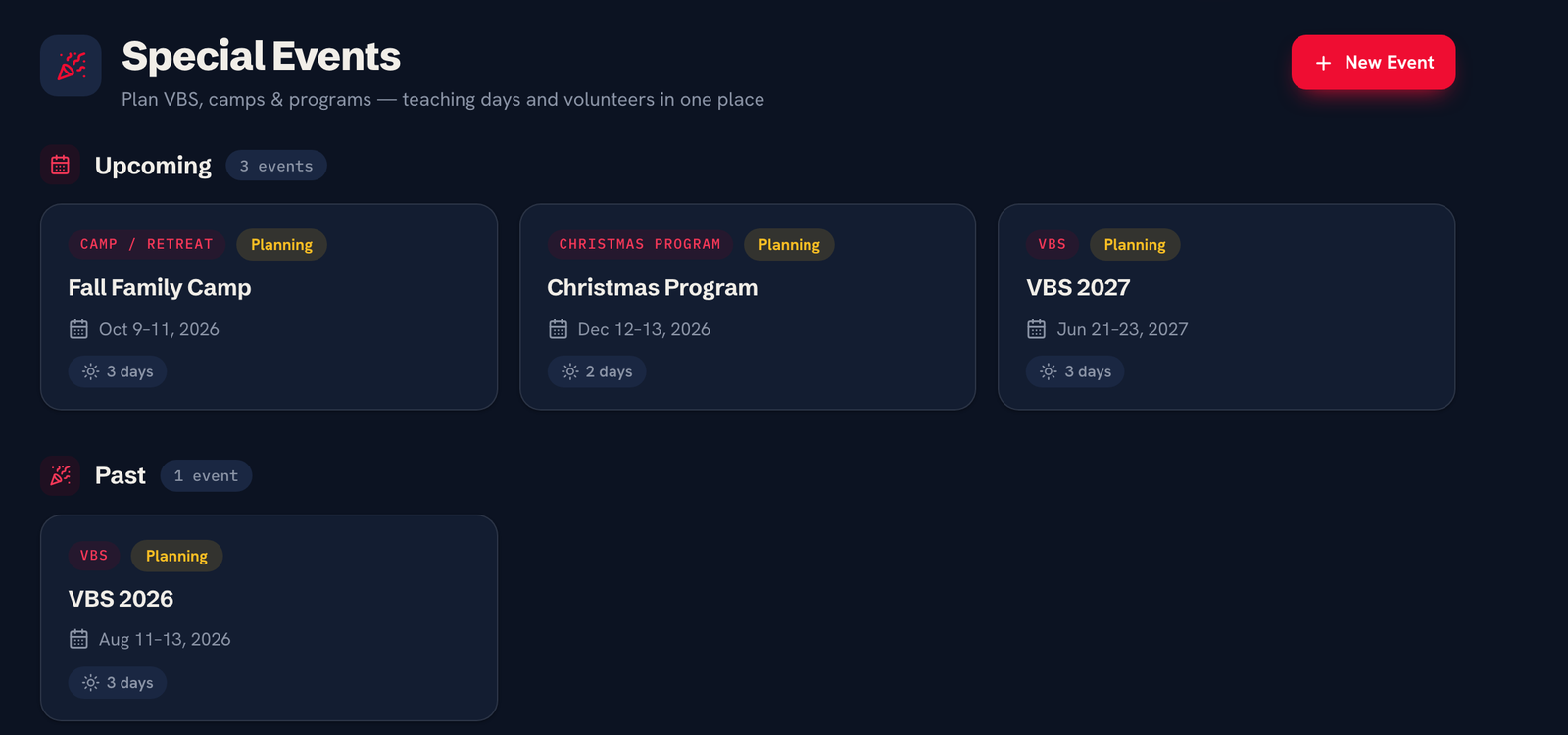
Every special event — VBS, camp, Christmas program — sits in one list with its type, its status, and how many days it runs.
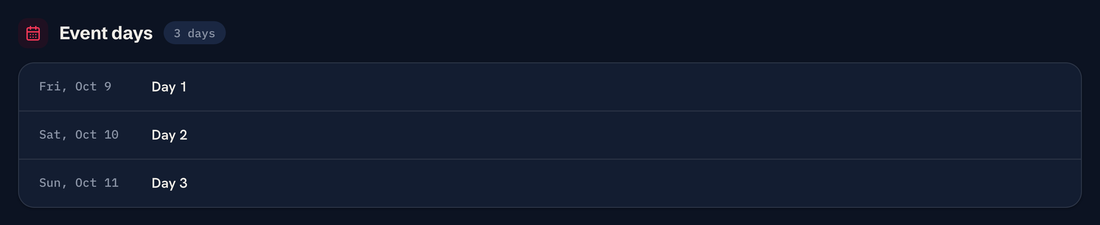
A three-day event is Day 1, Day 2, Day 3 — each on a real weekday date, each with its own plan and roster.
Every day, every station, one glance.
Set up crew leaders, crafts, games, snacks and check-in as roles with the headcount each one takes per shift. The coverage grid then shows the whole event at once — one row per station, one column per day. Green is fully staffed, amber is partway there, red means act.
Every station is a position. Every position has a bench.
The coverage grid tells you Thursday is short. Positions tells you who to ask. It's a depth chart of everyone in your church who can run crafts, lead a crew, or work check-in — so filling a gap is picking a name, not sending a church-wide plea.
Staff the event from the people you already have.
Your VBS crew isn't strangers — it's your Sunday volunteers wearing a different hat. Import them into the event in bulk, drag names onto any day's stations, then publish. Every helper gets their own personal RSVP link — send the ask straight from the board, and automatic reminder emails with one-tap Accept take over for anyone still unanswered as event week approaches. No login, no separate sign-up tool.
Everything an event needs to feel like part of the church.
The event shows as a span on your church-wide calendar — and rides along in your church's subscribed calendar feeds.
Each event has its own chat thread and document shelf — curriculum, rosters and files for the crew running it.
Attach a curriculum link to any station's role and scheduling and reminder emails deliver it automatically.
Supply runs, décor, and printing get their own project board on the event team — every task with an owner and a due date.
VBS, camps, retreats, Christmas programs — or anything custom. Weekdays are first-class.
Event workspaces never count against your plan's team limit — and archive cleanly when it's done.
Only need this one thing? Free Church Event Planner is free for one event at a time, with up to 1,000 people and 100 registrations — no credit card, no expiring trial.
See the free version →How to plan a church event without a spreadsheet.
Still deciding? These are the questions VBS and camp coordinators send us most.
Create the event once with its date range — tapping away any days you're skipping — and Ministry Planner generates a day for each date. From there you write a lesson plan per day, add your stations as roles with headcounts, and staff them from your existing volunteer list. The coverage grid replaces the spreadsheet you'd otherwise maintain by hand.
Yes. Scheduling is per day and per station, so someone can help with crafts on Tuesday and Thursday only. Each assignment has its own personal email link where they confirm — no account and nothing to install — and automatic reminder emails carry one-tap Accept and Decline buttons.
Any special event with a start and end date works the same way — a weekend retreat, a three-night Christmas program, a week of camp. Weekday and multi-day events are first-class, not bolted onto a Sunday-shaped tool.
No. Import from the people already in your church database — search by name or ministry, see where each person serves, tick the boxes. Brand-new helpers you add for VBS join the database too, so next year starts from a real list.
Anyone you add to the event team hub. The plan, roster, lesson plans and task board are shared, so questions stop routing through one coordinator's phone — and the whole team sees the same schedule on any device.