
Church management software that's actually easy
That's setup. No checklists, no forms.
Ministry Planner's Schedule page with the AI assistant open. It says: "Welcome to Grace Church! Tell me how your Sundays work and I'll set up your schedule, teams and volunteers for you. I'll show you every change before it's saved." You answer "We meet Sundays at 9 and 11", it shows the two service times to add, you tap Apply, and they appear on the page. It asks: "Would you like to set up volunteer schedules for those two service times?" You tap Yes; it asks "Which roles do you fill each Sunday?"; you answer "Greeter and sound", tap Apply, and Greeter and Sound are added to both services.
Free to start · no card needed
The church software you're used to looks like this
A dated church admin screen with a dropdown for every slot is wiped away to Ministry Planner: you ask the assistant to "Fill Sunday's team, skip anyone who served last week", it drafts Sunday (10 people scheduled · 2 skipped (served last week)), and you press Apply.
Everything your church needs. From $49 a month. Unlimited users.
Volunteer scheduling
Names land in every open spot, around everyone's blockouts. It stays a draft; you publish when it looks right.
Learn moreMinistry Planner's Schedule page with the AI assistant. It says: "Welcome back, did you want to schedule for this upcoming Sunday?" You type "Yes, fill it from our 3rd Sunday team, but find a replacement for Jessica since she's out this weekend". It shows a blockout for Jessica Ruiz on Sunday, November 15; you tap Apply. It shows a draft schedule for the week from the 3rd Sunday Team, 6 spots filled, with Mark Diaz on Sound for Jessica; you tap Apply and the positions fill in as a draft. It says: "Added 6 to your draft. Review and press Publish when ready." You press the page's Publish button; it asks to save 6 assignments and email 6 volunteers asking them to accept or decline; you press Publish & notify. The schedule is published, each place shows Pending, and a small confirmation says: Published — 6 added. Notified 6 volunteers.
Church websites
Tell it who you are; watch the site appear. Service times, a map and every page a visitor looks for, saved as a draft.
Learn moreMinistry Planner's Website page with the AI assistant. It says: "Want to set up your church website? Tell me about your church and I'll build it." You type "We're a small family church in Dayton, Sundays at 10". It asks "Which design would you like to start with?" with four designs to choose from: Grove, Harbor, Chapel, Beacon. You tap Grove. It shows a card to create your website, not published: the Grove design, the heading "A family church in Dayton" and Sunday 10:00 AM; you tap Apply and the site preview builds section by section. It says: "Done: your website is created, not published. Nobody can see it until you press Publish on the Website page." You press the page's Publish; it asks "Publish your site? Anyone can visit it and search engines can list it." and you press Yes, publish. The page reads "Grace Church’s website is live. Anyone can visit it now, last published Nov 15, 2026. Edits go live when you press Publish." You press See it as a visitor, and Grace Church's site opens at gracechurch.ministryplanner.church: "A family church in Dayton", Sundays at 10:00 AM in Dayton, with Plan a visit and Watch the latest. Then a note: Building your church website is free and easy with Ministry Planner. Start now.
Ministry Planner's Check-in page with the AI assistant open. It says: "Tell me your kids' rooms and service times and I'll set up check-in, rooms and kiosks for you." You type "We have nursery, preschool and elementary". It shows the three rooms it will set up: Nursery: Kids, ages 0–2; Preschool: Kids, ages 3–5; Elementary: Kids, grades K–5. You tap Apply and the rooms appear on the page. It asks: "Want a check-in kiosk for your lobby, where parents check their kids in?" You tap Yes, it shows a lobby station (family check-in, all rooms), you tap Apply, and the station appears with Copy URL and Open buttons. You press Open, and the kiosk shows: Welcome! Look up your phone number or last name to check in, with a keypad, Search by last name instead, and New here? Add your family. A parent taps Search by last name instead, types Carter and taps Search by Name, picks the 9:00 AM service, then picks Erin Carter from three Carter families. Both children are ticked; they untick Noah Carter, leaving Ava Carter in Elementary, tap Check In 1 Person, then ✓ Check In. It says Check-In Complete!, 1 person checked in, with the security code K7P4 for pickup, and Ava Carter's name tag prints.
People directory
Paste a list or drop in a spreadsheet. We read the columns for you. Someone already in your directory with the same name and email isn't added twice.
Learn moreMinistry Planner's People Directory with the AI assistant open. It says: "Paste or describe your people and I'll add them to your directory, families and all." You paste four people from a sign-in sheet. It shows a card, "Add 4 people", noting David Ortiz is already in your church and that nobody is emailed. You tap Apply, and Grace Lin, Tom Reyes and Ana Ortiz appear in the directory.
All the features you need to run every aspect of your church
Plan services and volunteers with:
Keep track of your people with:
Run the church office with:
Ranked #1 church management software.*
*Ranked #1 by ChristianAppReviews.com, which is owned by one of Ministry Planner's co-owners. Tested against Planning Center, ChurchTrac, Breeze and Rock RMS with the same tests, and the reviewer didn't know about the connection.
“If I was searching for a church management software, this is what I’d choose.”
- #189Ministry Planner
- #265Planning Center
- #357ChurchTrac
- #436Breeze
- #528Rock RMS
Stop stacking subscriptions.
Legacy software sells you a base plan, then charges per module. We put every tool on this page on one plan.
- Scheduling
- Service planning
- Teaching calendar
- Worship
- Events
- Check-in
- People
- Groups
- Attendance
- Engagement
- Giving
- Website
- Church app
- Forms
- Projects
- AI assistant
0% platform fee on giving. Donors pay only Stripe's processing.
Ready to make the switch?
Moving your people is easier than ever. Here's how to get started with Ministry Planner.
Export from your old software
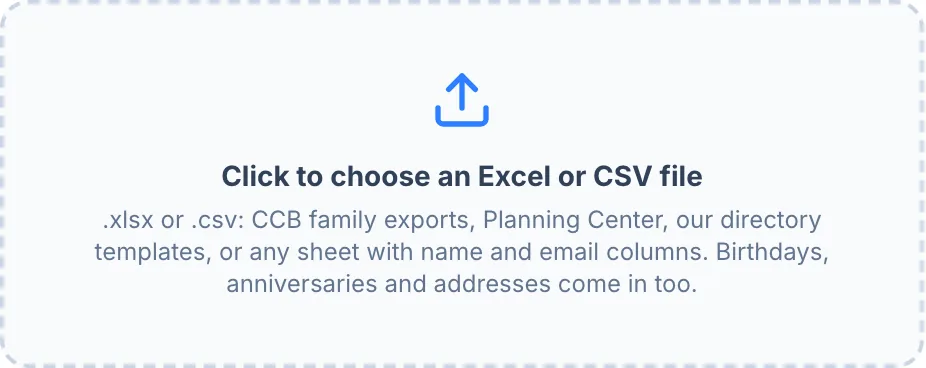
Download your people from CCB, Breeze, Planning Center or any spreadsheet (.csv or .xlsx).
Drop the file in
We read the columns for you and check every name against your directory.
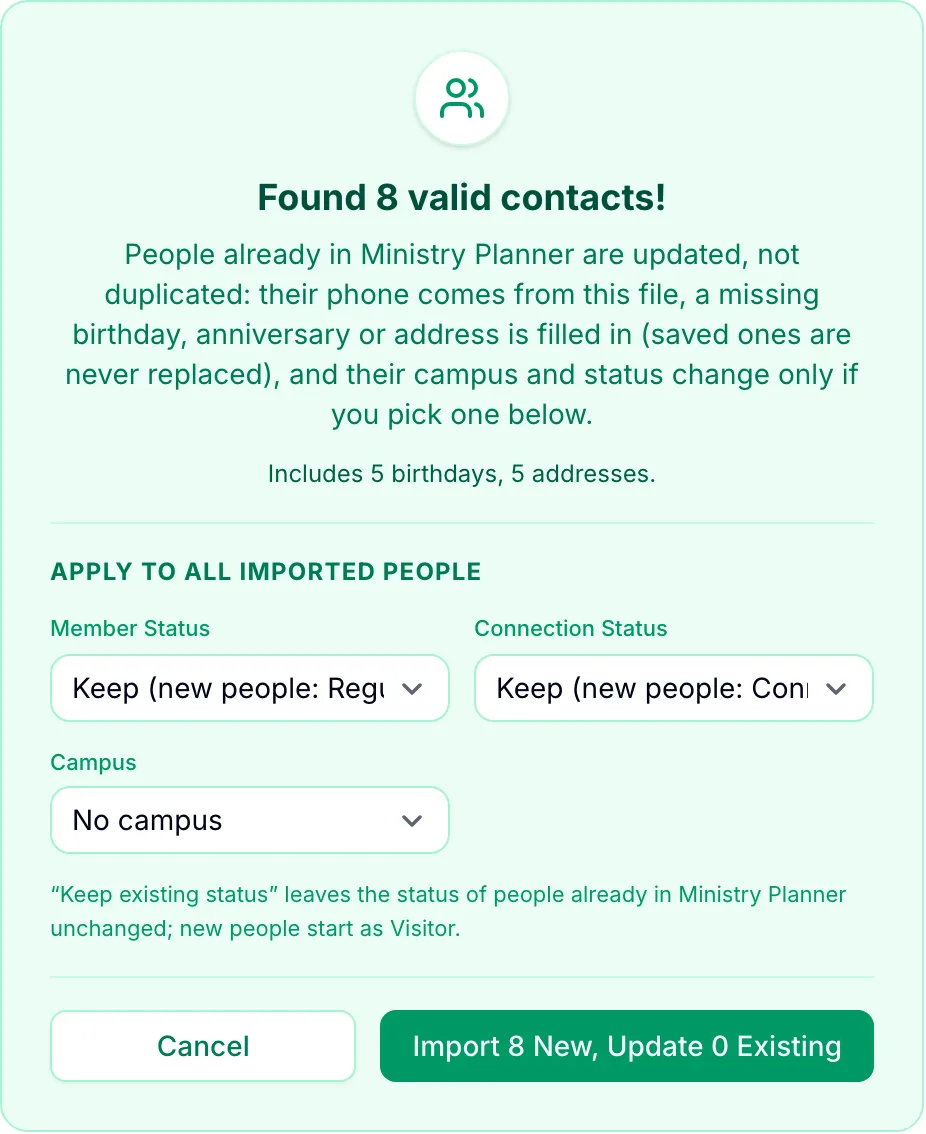
Check the preview and import
See who’s new and who’s already there, then press Import.
- Names
- Phone
- Birthday & anniversary
- Address
- Children
- Families (CCB export)
- Campus
Keep your old software until you’re ready. Nothing changes there.
People already in your directory are updated, not duplicated. Only a few names? Paste them to the assistant.
Ask once. See it happen.
Start with whatever's due this Sunday. Building is free, and nothing goes out until you press the button.
Try it now