Projects & Tasks

Boards, tasks, and deadlines for every ministry.

Track VBS prep, building campaigns, outreach events, and everything in between — without a separate project management tool. Every team gets their own boards, and leadership sees everything in one dashboard.

Kanban& List Views
TemplatesAuto-Shift Dates
My TasksPersonal Board

Without Ministry Planner

Projects tracked in spreadsheets no one opens
Tasks assigned over text — and promptly forgotten
No visibility into what other teams are working on
VBS planning starts from scratch every single year
Deadlines slip because nobody got a reminder

With Ministry Planner

Every initiative has a board with progress tracking
Tasks have owners, due dates, and automatic reminders
Cross-team dashboard shows the full picture instantly
Templates recreate last year's project in seconds
My Tasks pulls everything assigned to you into one view
PROJECT BOARDS

Boards for every initiative your church runs.

VBS prep, building campaigns, outreach events, Easter planning — each one gets its own project board. Switch between list and Kanban views. See progress bars, owners, and status at a glance.
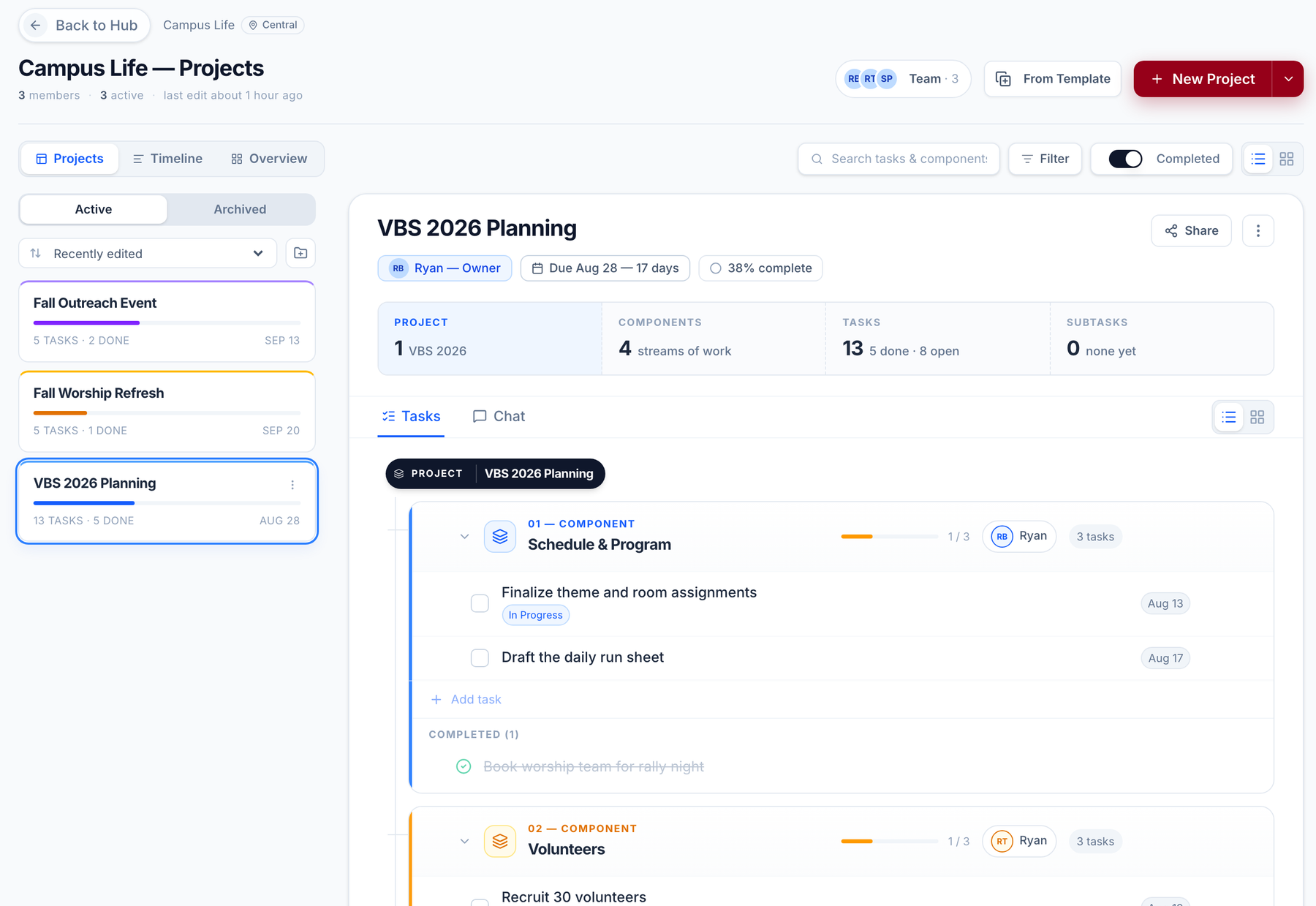
List or Kanban view — switch with one click
Progress bars and completion percentages per component
Team-scoped boards — each ministry owns their projects
Pin important projects to the top of any team hub
See project boards live →
Projects · Campus Life
Church project management software: the Campus Life team's VBS 2026 Planning board with four components — schedule and program, volunteers, supplies, and promotion — each with a progress bar, task count and owner
TASKS & ASSIGNEES

Tasks with everything you need to act.

Assign tasks to one or multiple team members, set due dates, attach files, and add notes. Overdue tasks are flagged automatically — no one has to remember to follow up.
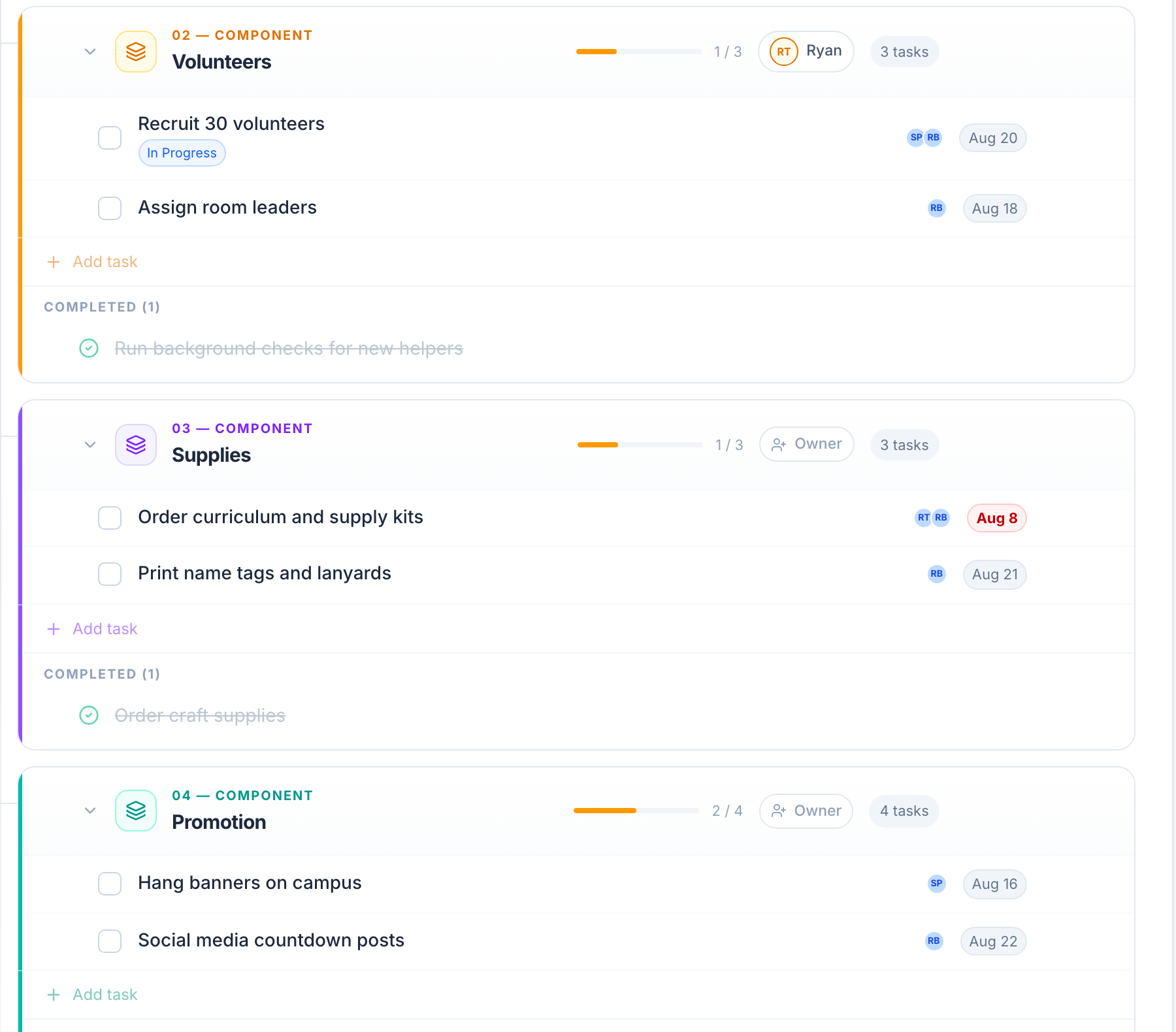
Multiple assignees per task with avatar indicators
Due dates with automatic overdue flagging
File attachments and rich-text notes
Drag-and-drop reordering across components
See tasks live →
VBS 2026 Planning · Tasks
Church task management: VBS 2026 Planning tasks with due dates, assignee avatars, status badges, a red overdue flag and completed items grouped by component
REUSABLE TEMPLATES

Recreate a project in seconds.

Built a great VBS project last year? Save it as a template. When you create from a template, due dates auto-shift to the new timeline — components, tasks, and assignments all carry over.
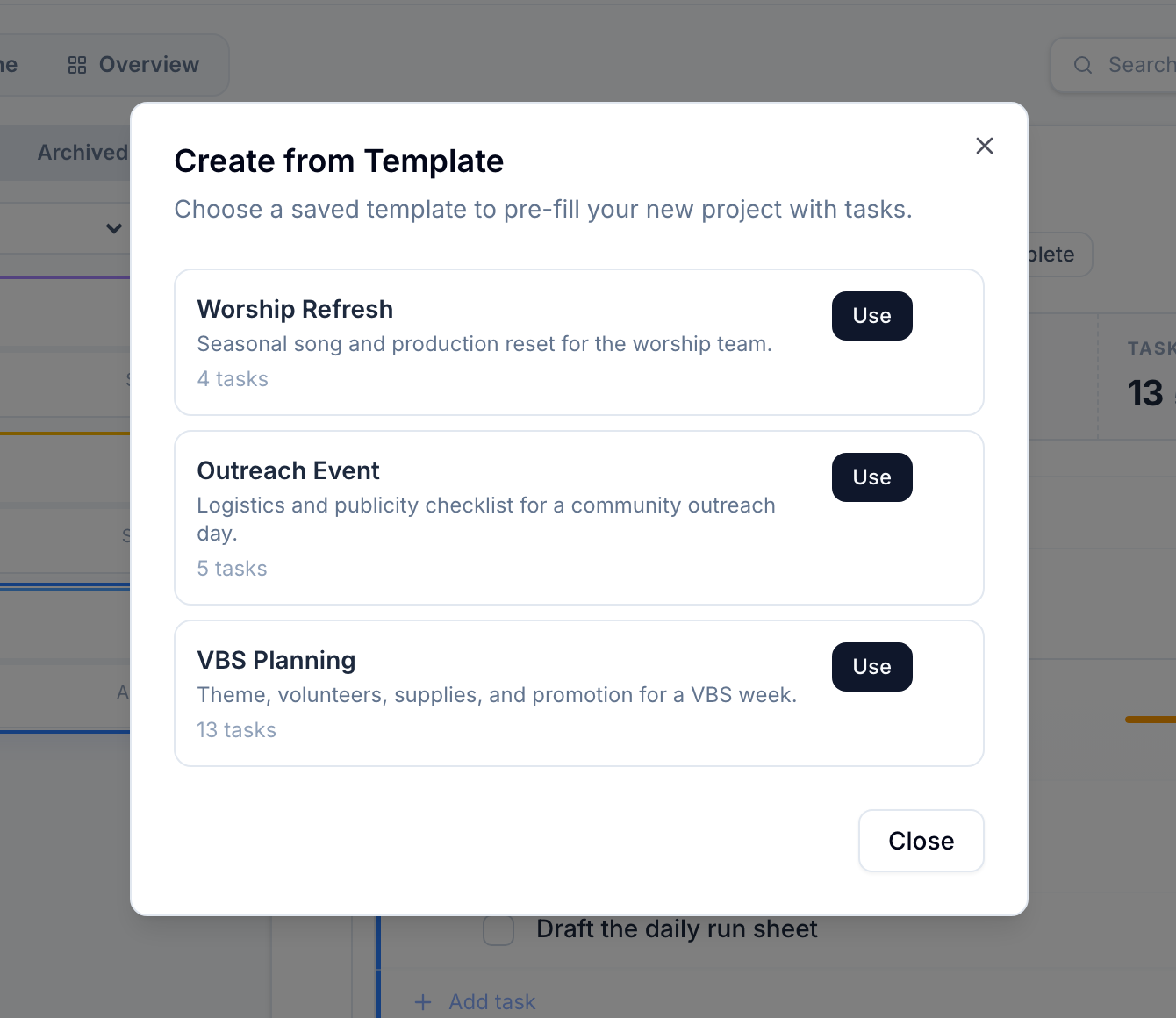
Save any project as a reusable template
Due dates auto-shift relative to the new start date
Components, tasks, and default assignees carry over
Share templates across teams or keep them team-specific
See templates live →
Create from Template
Reusable church project templates: the Create from Template dialog listing saved VBS Planning, Outreach Event and Worship Refresh templates ready to pre-fill a new project with their tasks
MY TASKS

Everything assigned to you, in one place.

The My Tasks board pulls every task assigned to you — from every team and every project — into a single personal view. Add your own private to-dos and recurring tasks alongside them.
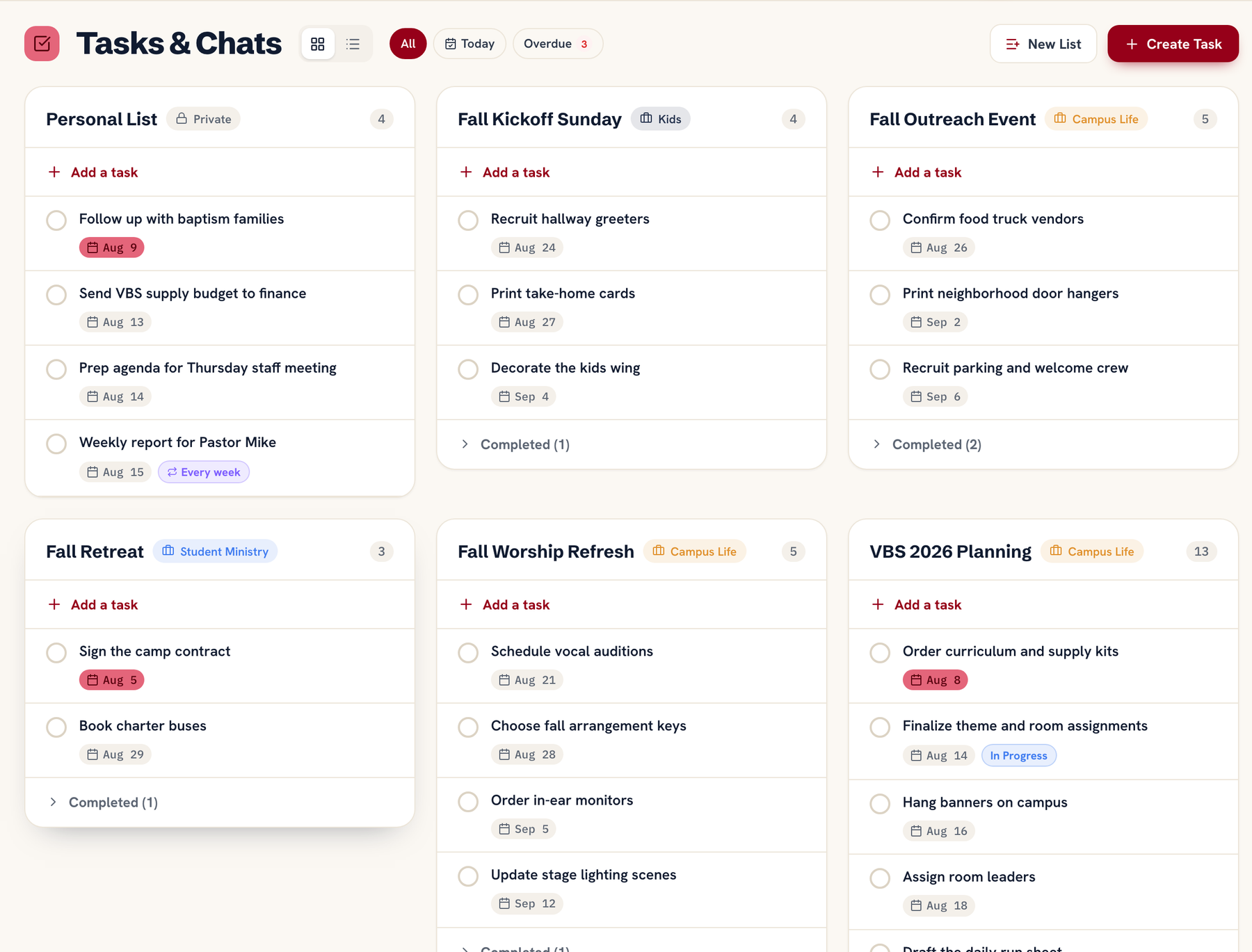
Unified task view across all teams and projects
Private to-dos only you can see
Recurring tasks that auto-regenerate on schedule
Sort by due date, project, or team
See My Tasks live →
My Tasks
Personal ministry task board: the My Tasks view gathering tasks from every team project into one place beside a private personal list with due dates and a recurring weekly report
CROSS-TEAM DASHBOARD

Roll up every project at a glance.

The cross-team dashboard shows every project across your church — completion percentages, overdue task counts, and which teams are on track. Perfect for senior leadership and weekly staff meetings.
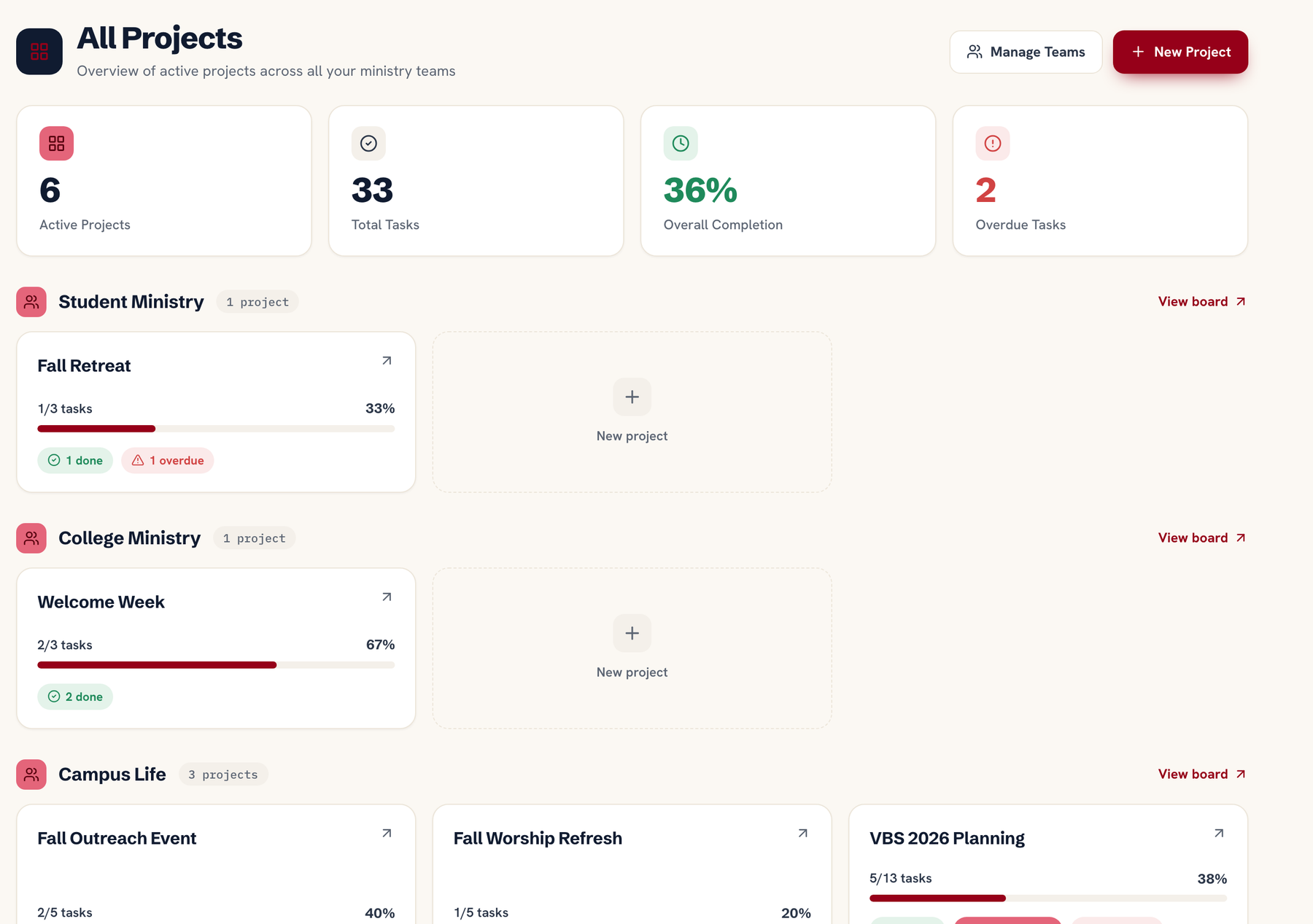
All projects in one view with completion % bars
Overdue task counts highlighted in red
Filter by team, status, or date range
Exportable for leadership meeting prep
See dashboard live →
Projects · All Teams
Cross-team church project dashboard: active projects from four ministry teams in one view with completion bars, task counts, due dates and an overdue-task count
DUE-DATE REMINDERS

Never miss a deadline again.

Ministry Planner sends an automatic "due tomorrow" push notification the night before. Overdue tasks are surfaced in the dashboard and the My Tasks board — no one can claim they forgot.
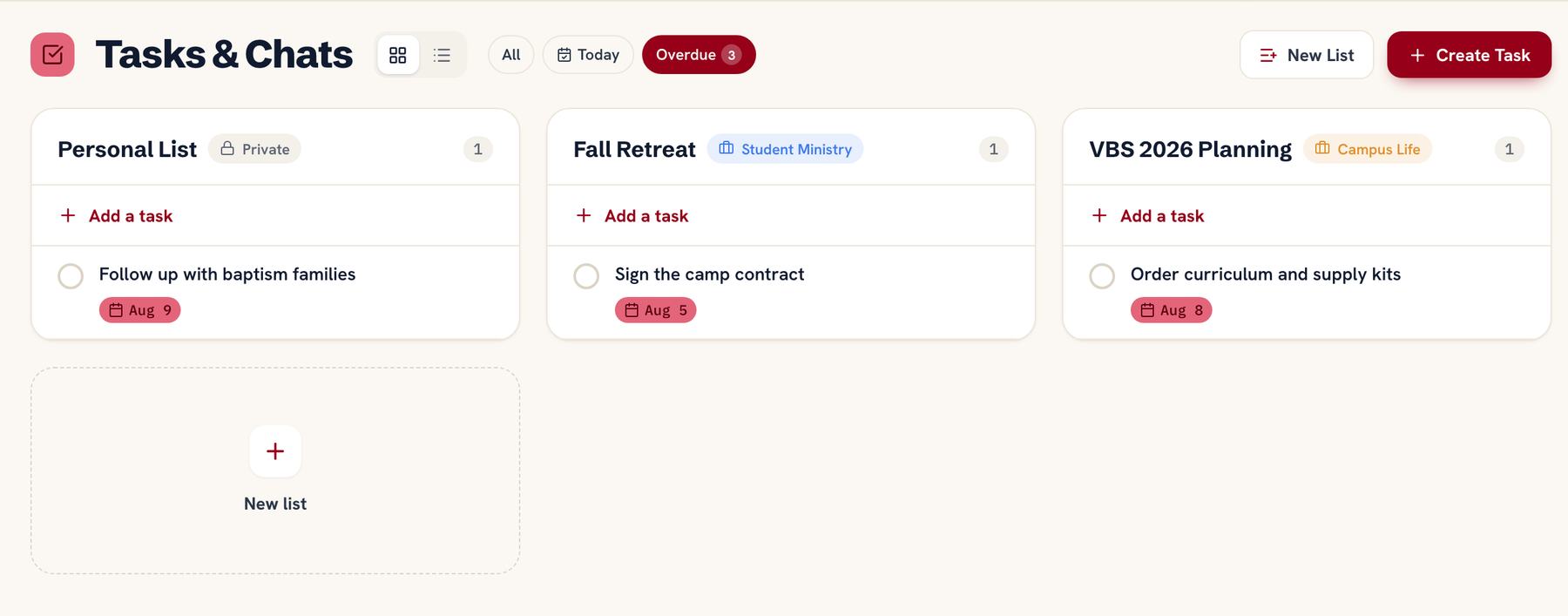
Automatic "due tomorrow" push notification
Overdue flags visible in dashboards and task boards
Email digest of upcoming deadlines (configurable)
Leaders see overdue counts per team member
See reminders live →
My Tasks · Due & Overdue
Task deadline tracking for ministry teams: upcoming and overdue tasks surfaced with red flags and due dates so nothing slips through

Keep every initiative moving.

Set up your first project board in minutes.

One flat price for your whole team · Cancel anytime · Set up in an afternoon